
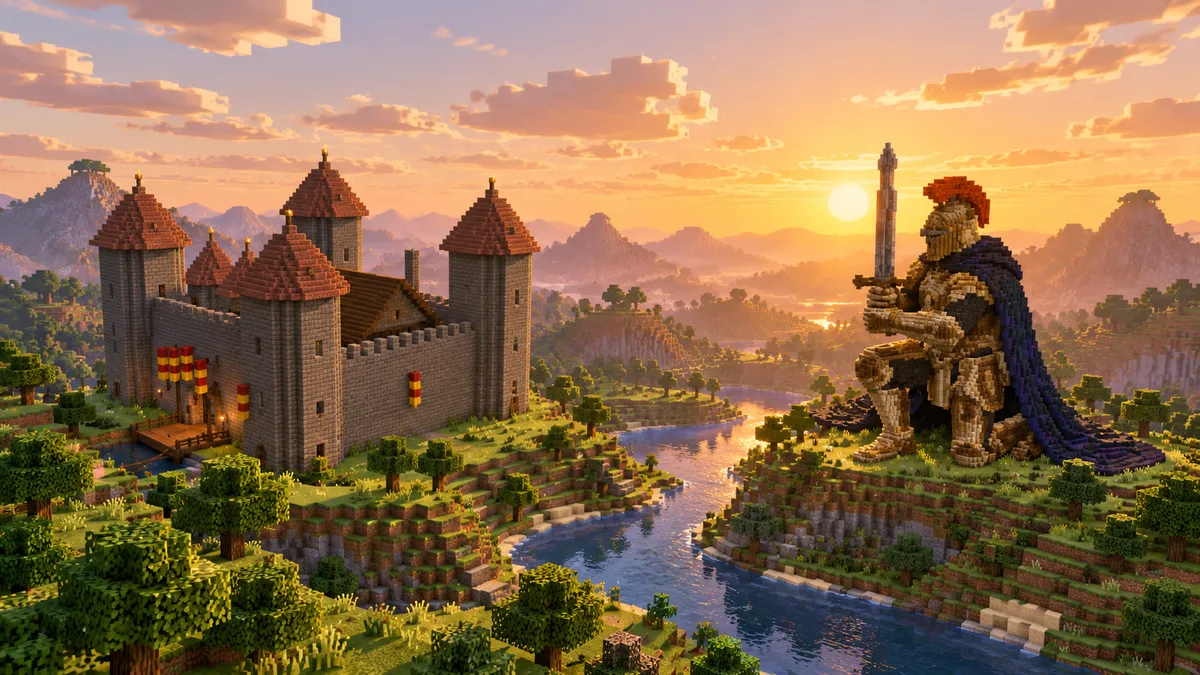
Ask an AI for a Minecraft castle and most tools hand back a picture of one. The game can't use a picture. It needs a block, a position and a facing for every cell, and that gap is what separates real AI for Minecraft builds from pretty screenshots.
TL;DR: AI builds in Minecraft only when its output is blocks, not a picture. Block Dreamer turns one sentence into blocks you can view in 3D, count, and place in Java 1.21 with one command.
A picture of a castle is not a castle
Three different things answer to "AI Minecraft builds" today. Image generators draw a castle in Minecraft style, and nothing in the image exists as blocks. World models such as Oasis predict the next frame of a Minecraft-like game, so what they show lives on screen, not in a save file. Only the third kind, the block generators, hands you a list of blocks you can put in your world.
Block Dreamer is an AI Minecraft build generator that turns a text description into one Java 1.21 build (a statue, a creature or a building) with a 3D preview, a layer plan, a block list and downloads for vanilla (.mcfunction), WorldEdit (.schem) and Litematica (.litematic); it makes one structure per prompt, not whole cities or landscapes. Every build in the gallery came out of it, and each one is shown with the sentence it was made from.
The rest of this page walks through what happens between that sentence and a build standing in your world.
It starts with one sentence and two choices
You describe one structure in plain words, up to 500 characters. Style words carry a long way: "mossy", "Japanese", "ruined". The chips under the box (Castle, Pagoda, Phoenix, Knight) open finished builds if you'd rather look before you type.
Two switches sit under the prompt. "How it's made" picks between Detailed 3D and Classic, which are different ways of building and are covered in the next two sections. "Size" applies to Detailed 3D: Small, Medium or Large, which set the longest side to 48, 80 or 120 blocks. A size written into the description, like 60 x 60, is followed instead.
Your first build needs no account. After that a free account starts you off with some credits, and a Detailed 3D build costs 2 credits where a Classic one costs 1.
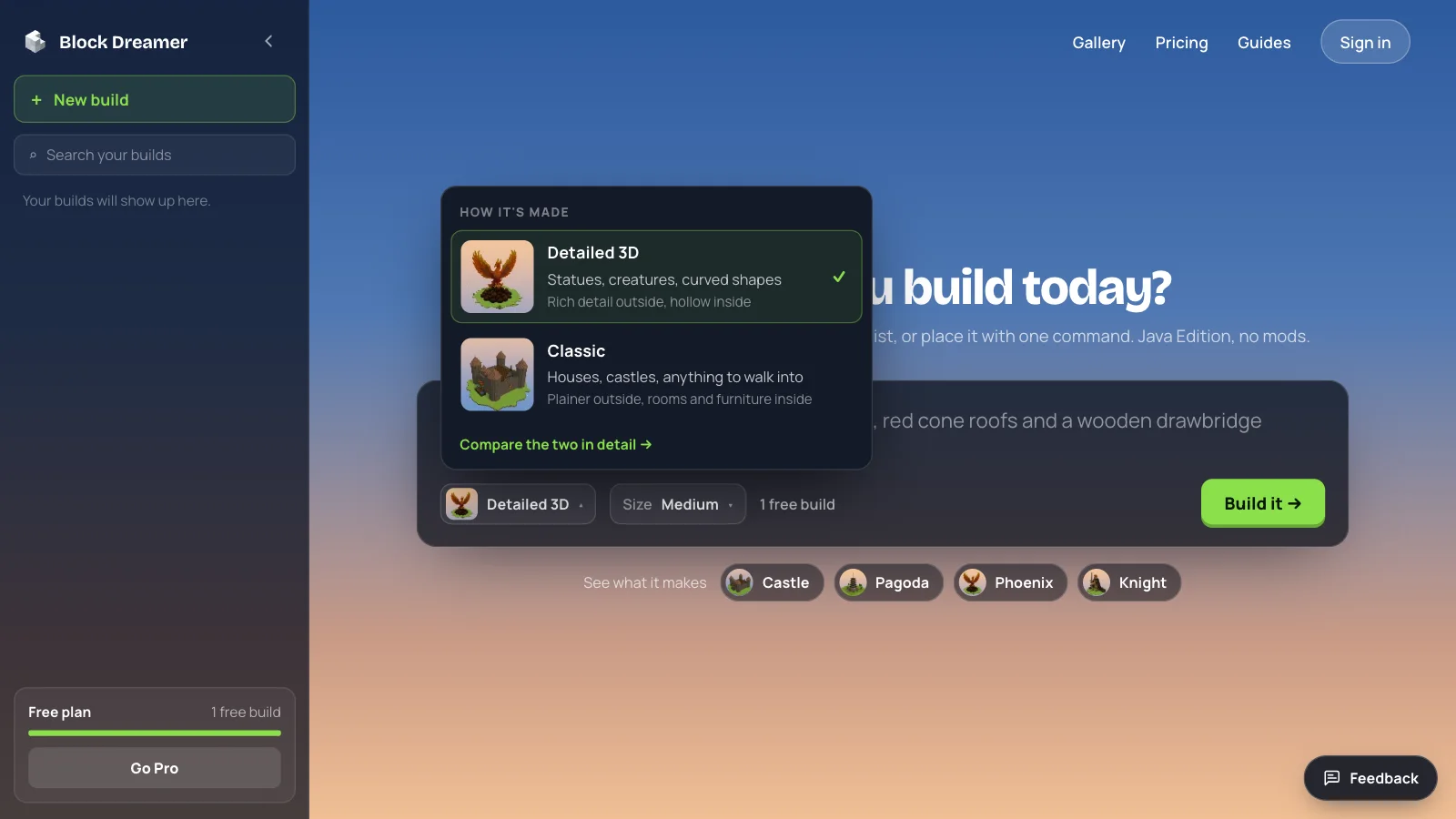
Classic builds things you can walk into
In Classic, the AI never places a block itself. It writes a short program against a kit of building parts: gable and hip roofs, timber walls, arcades, columns, battlements, round towers, domes, spiral stairs, windows, lanterns, beds, baths, gardens and furnished rooms, plus ready-made house, tower and temple templates. One call lays a battlemented wall; a loop repeats a window along a facade. Working in parts means the model never has to pick thousands of coordinates one by one.
That program runs in an isolated sandbox, and every call it makes is checked against the kit's rules. A call that breaks them is reported and left out. Then come the repairs, for things the game wouldn't hold: a bed with nothing under it gets a floor, a hanging lantern gets a chain, and water gets a rim so it can't spill. Every block is matched to a real Java 1.21 block and facing, so what the preview shows is what the game gets.
Classic builds fit inside 48 × 40 × 48 blocks (width × height × depth), 40,000 blocks in all, and take about 20 to 40 seconds. Pick it for houses, castles and anything you mean to enter: the rooms have doors, stairs and furniture. The outside is plainer than a carved build, and curves come out as steps.
Detailed 3D carves what parts can't make
A dragon has no gable roof. Statues, creatures and anything with curves don't come apart into building parts, so Detailed 3D, the default, skips parts and carves.
It happens in three steps. An image model draws the subject. A second model turns that picture into a textured 3D model. The surface of the model is then sampled into blocks, each cell taking the nearest block by colour.
The blocks it may use are picked on purpose. Only clean, full blocks are allowed; furnaces, chests and other working blocks stay out, sand and gravel stay out because they fall, and busy textures like granite, diorite and cobblestone stay out so a statue reads as smooth surfaces. The carved result is then tidied the way a builder would do it by hand: walls that came out uneven are laid flat, and a building's walls are carried down to the ground.
What you get is a shell, rich outside and hollow inside, in about a minute. The kneeling knight in the gallery is one, and so are the phoenix and the dragon beside it. Buildings can be carved this way too, when the look from outside matters more than rooms.
One castle and one knight, measured
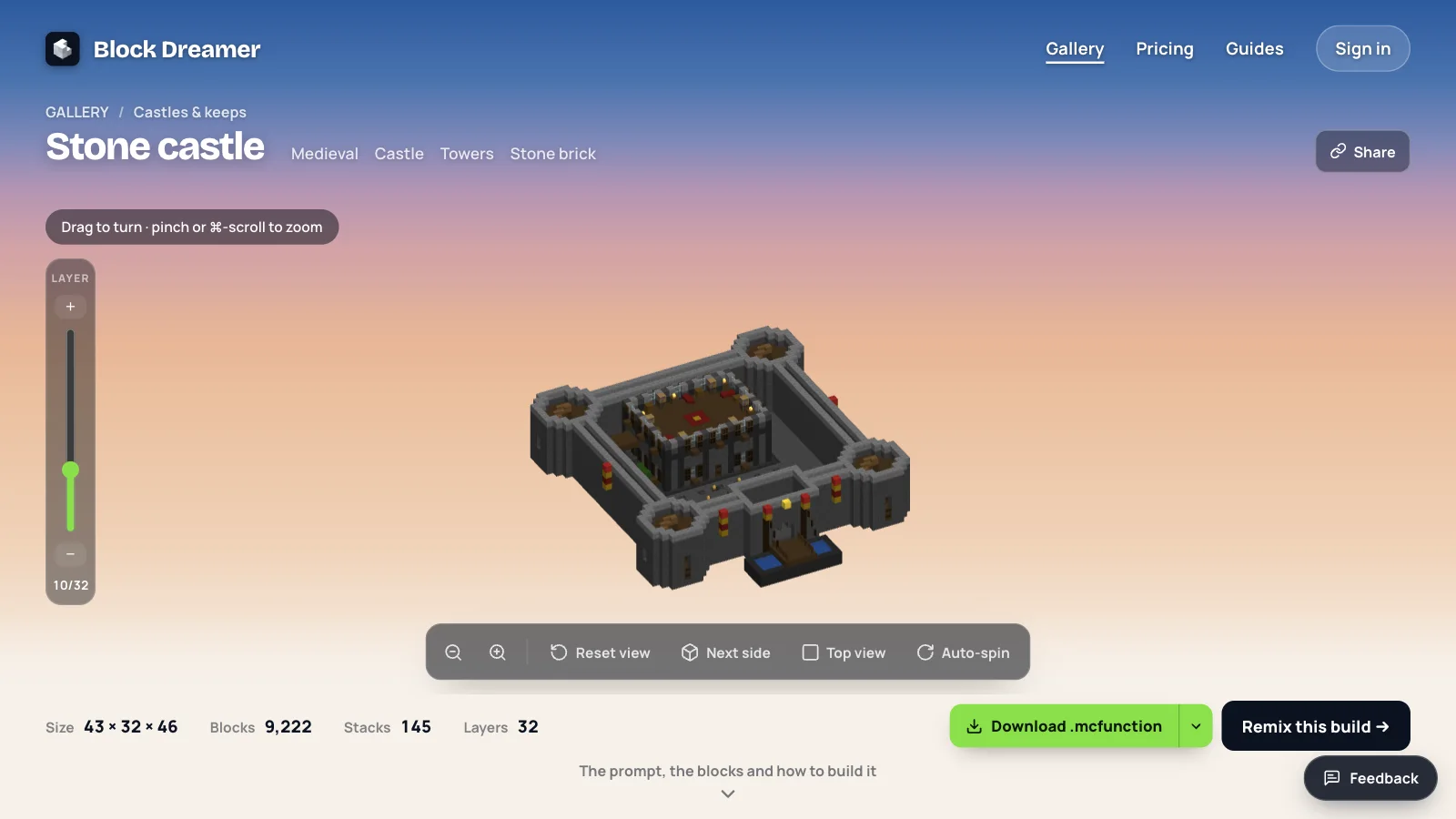
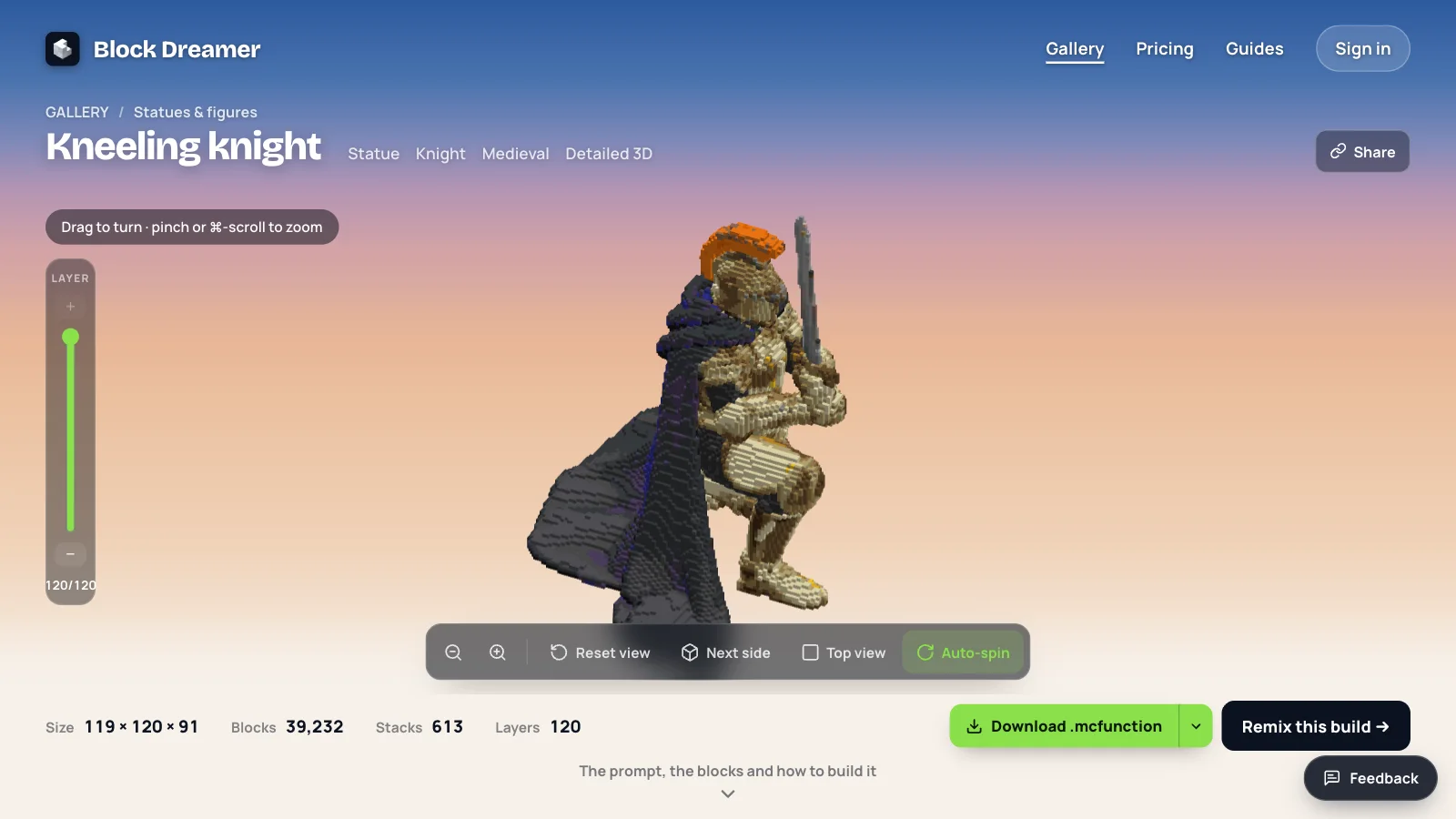
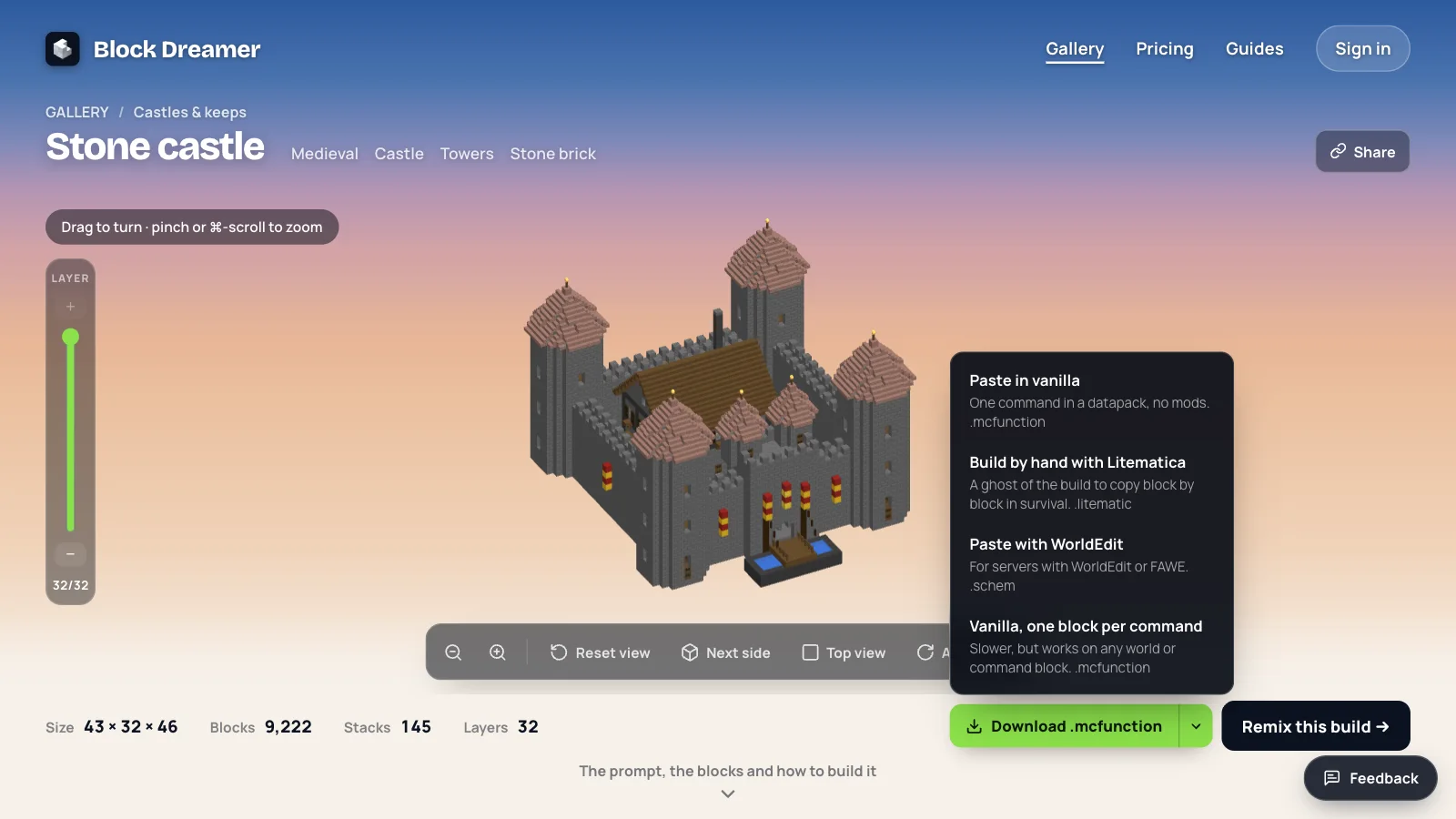
Two builds from the gallery show the difference in numbers. The stone castle is Classic, asked for as "a medieval stone castle with round corner towers, red cone roofs and a drawbridge". The kneeling knight is Detailed 3D, asked for as "a colossal knight kneeling with a greatsword, gold armour and a blue cape".
| Stone castle | Kneeling knight | |
|---|---|---|
| How it's made | Classic | Detailed 3D |
| Size (width × height × depth) | 43 × 32 × 46 blocks | 119 × 120 × 91 blocks |
| Blocks | 9,222 | 39,232 |
| Stacks of 64 | 145 | 613 |
| Inside | A hall and tower floors | Hollow |
The Classic stone castle is 43 × 32 × 46 blocks and 9,222 blocks in all, 145 stacks, with rooms behind its walls. The Detailed 3D knight is 119 × 120 × 91 blocks and takes 39,232 blocks, 613 stacks and more than four times the castle's count, nearly all of it surface.
When we opened both, the numbers were less interesting than the cut. We slid the LAYER rail to level 10 of the castle's 32 and looked from above: a hall with a timber floor and a red carpet inside the keep, and a floor in each of the four towers. Level 61 of the knight's 120 showed a ring of gold armour around a dark hollow, with the cape spread out behind it. A keep you can't enter would be a failure, and nobody tries to walk into a statue.
You see all of it before placing a block
The finished build assembles in the 3D view from the bottom up. You can turn it, zoom in, look straight down, or let it spin.
The LAYER rail at the side cuts the build at any height. That cut is also the layer plan: step up one level at a time and you can build the whole thing by hand, in survival or on Bedrock. Under the view, "Blocks you'll need" counts every block, largest first, in stacks of 64. That is the shopping list for a survival build, and it tells you early whether a design is a weekend or a month.
Four ways to get it into your world
The download button carries the same build in four files:
- Paste in vanilla: a
.mcfunctionof merged/fillcommands. Put it indatapacks/<pack>/data/<namespace>/function/inside your world save (the folder has beenfunction, singular, since Java 1.21), run/reload, stand where the build should go and run/function <namespace>:<name>. No mods, and it works on servers that don't allow them. - Vanilla, one block per command: the same build as one
setblockper block, slower but readable line by line. - Paste with WorldEdit: a
.schemfor servers running WorldEdit or FAWE, pasted centred on you like the function. - Build by hand with Litematica: a
.litematicyou load as a ghost of the build and copy block by block.
The schematic files were checked by reading them back the way Litematica and WorldEdit read them. We haven't pasted every one of them into a live server yet, so on a vanilla world the .mcfunction is the one we'd start with.
Sharing, the gallery and a second opinion
A build is yours alone until you press Share. Sharing gives it a public page with the 3D view and the downloads, which is the easy way to hand a build to a friend or a server admin. Gallery builds work the same way, and each has a "Remix this build" button that drops its prompt into the box for you to change.
On paid plans, every build also gets a review before it's final. A second model looks at renders of the first version and scores it. A weak first version is redone once, the two are compared, and the build page says which was kept: "v2 kept after review" or "v1 kept after review". The plans start at $4.99 a month for 60 credits.
Where it still goes wrong
Floating parts are the flaw to look for first. The engine counts groups of blocks that don't touch the ground in a Classic build, but it doesn't delete them. A boat we generated came back with part of it hanging in the air, exactly as the preview showed it. Turn the build and look at it from the side before you place it.
Scale is the second. Classic fits everything into 48 × 40 × 48, so a request for a huge cathedral comes back as a compact one. Detailed 3D goes bigger, but its builds are shells: fine to look at, not made to walk through. And a named character may not look like the character: the image model refuses some franchises, and then a generic figure is drawn.
Then there are things it doesn't attempt. Block Dreamer does not build whole cities or landscapes; it makes one structure per prompt. It doesn't make redstone machines or farms, and it can't build from an uploaded picture. It can't place a build on Bedrock by command, so Bedrock players build from the layer plan by hand.
Those limits are also why the preview comes first. You see the whole build, inside and out, before it costs you a single block in your world. Describe one structure and see which way of building suits it: the first build is free, with no sign-up.