
Updated 8 November 2026.
ChatGPT can't build in Minecraft by itself: it answers in words and code, and nothing it writes reaches your world until you, a mod or a program puts it there. It can still do a good share of the work, and how much depends on what you connect it to.
Short answer: ChatGPT does not place blocks. It can plan a build, list the blocks and write commands you paste; a mod with your own OpenAI key can place what it returns; and a build agent such as Block Dreamer makes the build itself, shows it in 3D and changes it when you ask.
What a chatbot does well for a Minecraft build
Asked about a build, a general chatbot is a good planner. It can suggest a style and a palette, describe a floor plan room by room, say how many stairs a roof of a given width needs, and write /fill and /setblock commands with coordinates. Those commands work if the coordinates are right, and by default a single /fill changes at most 32,768 blocks, so a bigger build is many commands (Minecraft Wiki, /fill).
What it doesn't have is eyes on the result. It writes a wall from x 0 to x 14 and has no way to see that the door ended up in the corner, unless you take a screenshot and show it. Every correction goes through you: paste, look, describe what's wrong, paste again.
Ways people connect ChatGPT to the game
Three kinds of project link a model like ChatGPT to Minecraft. Each is a different amount of setting up, and each was read on its own page on 19 October 2026.
- A mod that places what the model returns. BuildGPT, a Fabric mod on Modrinth, adds a
/buildgptcommand: you give a prompt and two corners, and it places the structure ChatGPT sends back inside that box. Its page says it needs your own OpenAI API key, with credits on the account, and that placed blocks can't be undone. - A bot that plays. Mindcraft is an open-source project that runs language-model bots in a Java world through Mineflayer, with OpenAI's models as the default. The bot can write and run code to build, a setting its README leaves off by default and warns about, and it needs your own key.
- A program that writes a schematic. BuilderGPT on GitHub had a model describe a building as data and turned that into a schematic file. Its page says the project is paused and points to a newer one.
All three run on your computer or server, need an API key you pay for, and are tied to particular Minecraft versions. They are a fair choice if you enjoy the setting up.
Where a build agent differs
Block Dreamer is an AI Minecraft build agent: you describe a build in a chat, it makes it as a Java 1.21 building or figure with a 3D preview, a layer plan, a block list and downloads for vanilla (.mcfunction), WorldEdit (.schem) and Litematica (.litematic), and then changes it as you ask, keeping every version; it makes one build at a time, not whole cities or landscapes.
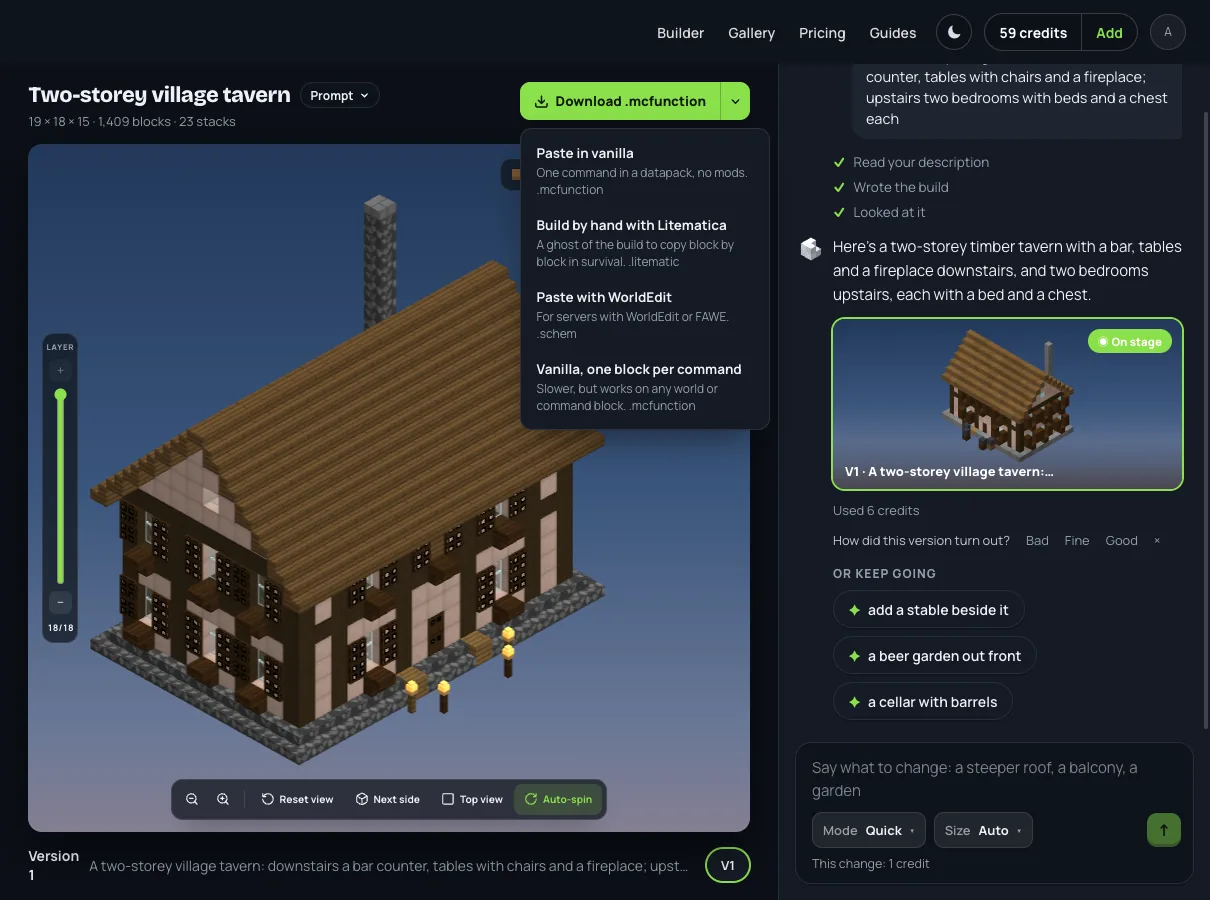
The difference from a chatbot is that the build is the thing in the middle of the conversation. On 19 October 2026 we sent one message: "A two-storey village tavern: downstairs a bar counter, tables with chairs and a fireplace; upstairs two bedrooms with beds and a chest each." Once the steps under it had run (reading the description, writing the build, looking it over), the tavern stood in 3D: 19 × 18 × 15 blocks, 1,409 blocks in all, dark oak frame, pale walls, an oak roof and a chimney.
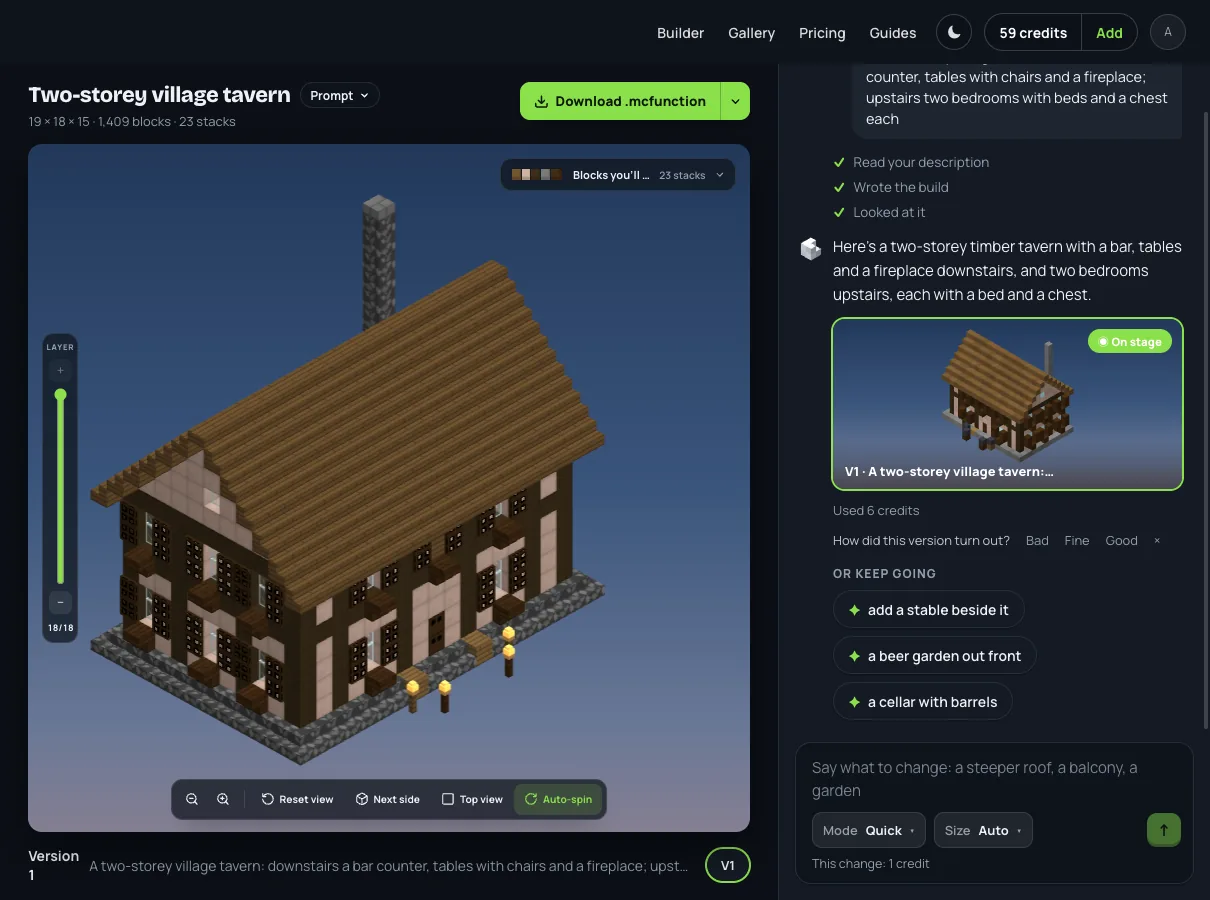
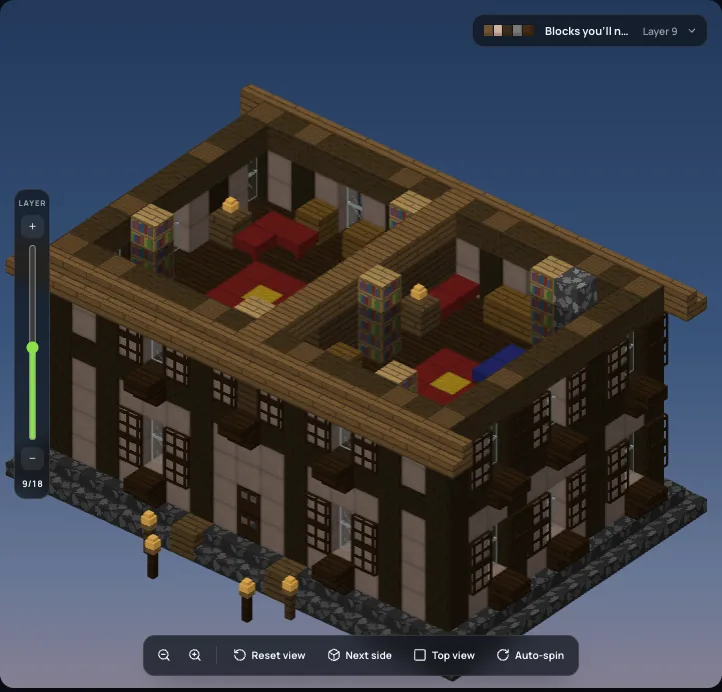
Looking it over is the part a chatbot can't do on its own: the site runs the program and checks the result itself. A new building is looked at again only when that check finds something wrong, such as floating blocks, blocks with nothing under them or a size that missed, and then only those are fixed; a Thorough change is always looked at once, a Quick change never, and a new building for an account that hasn't paid comes as written. Cutting the tavern open with the LAYER rail showed what came back: downstairs a brick fireplace with a fire, tables with chairs and barrels along the walls; upstairs beds in two rooms. I could not pick out a bar counter as such, which is the kind of thing you would then ask for in the next message.
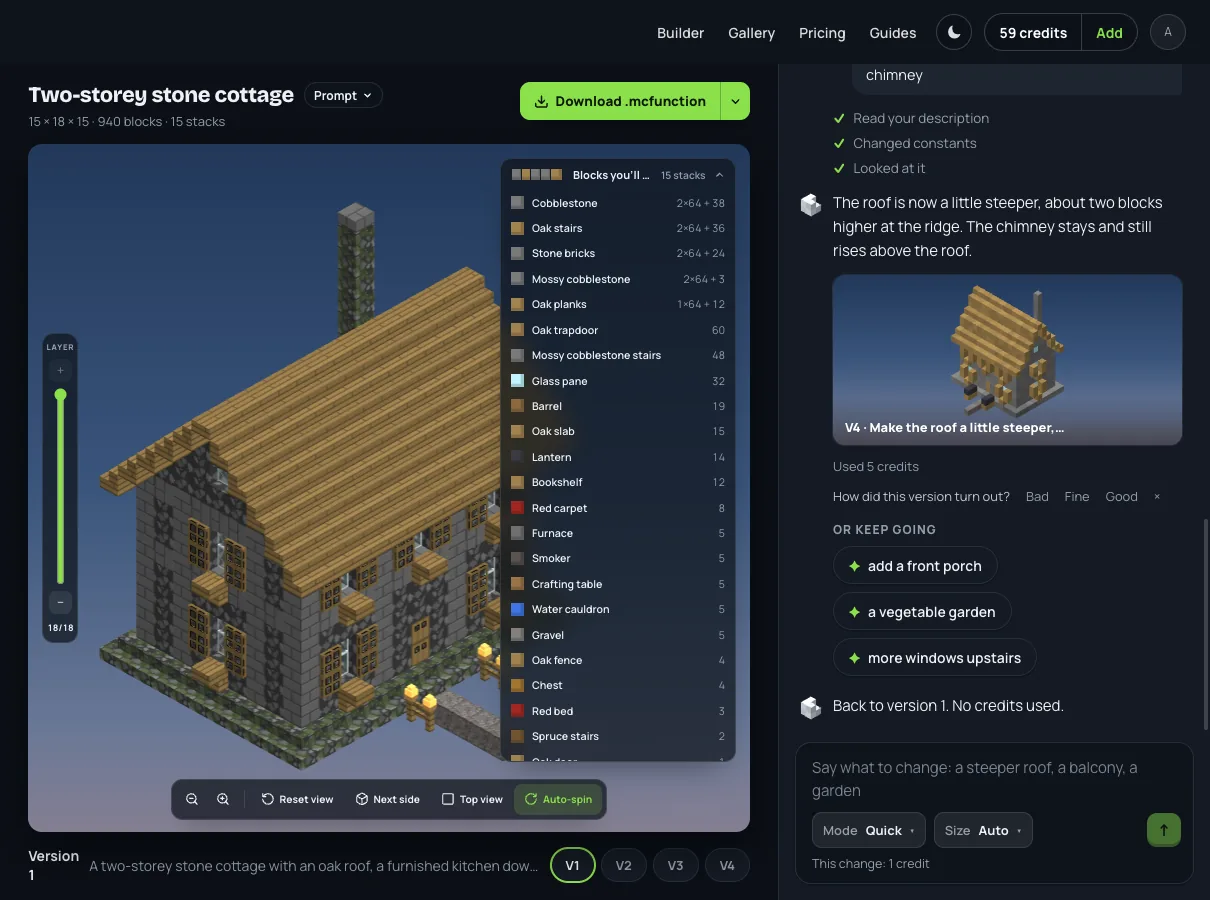
Asking for that is one more message, and the build answers, not a list of commands. In another conversation, "make the roof steeper" came back as a new version: the roof three layers taller and every block below it unchanged, with the earlier version still one click away.
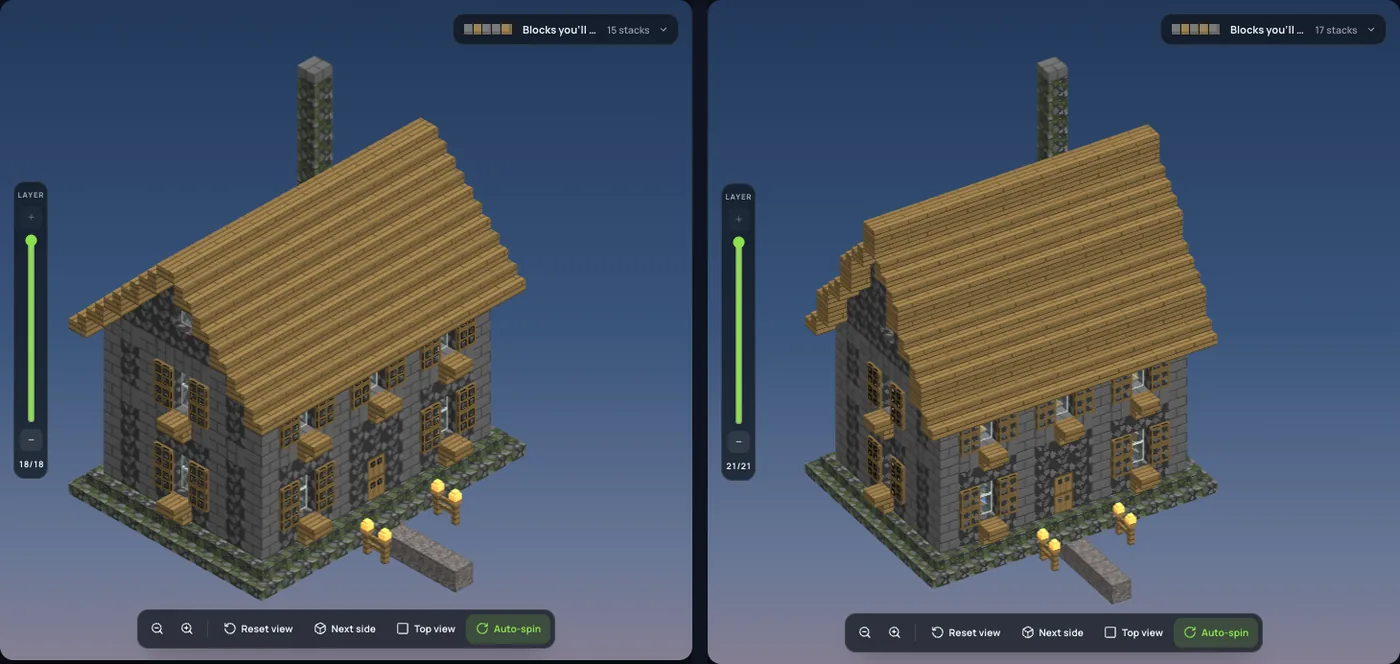
Every block is counted, largest first, in stacks of 64, so you know what to gather before you start.
And the build leaves as a file, in one of four ways: one command in a datapack with no mods, a Litematica file to build from by hand, a WorldEdit file for servers, or one command per block.
Side by side
| ChatGPT on its own | ChatGPT through a mod | Block Dreamer | |
|---|---|---|---|
| Places blocks | no, you paste its commands | yes, in your world | no, you place its file |
| Sees the result | only a screenshot you give it | no | checks it; looks again when the check finds a problem, and after every Thorough change |
| Setting up | none | mod loader, a Minecraft version, your OpenAI key | none, an account |
| Changes a build | you describe and paste again | a new prompt | ask in the chat; each change is a version |
| Bedrock | commands differ, you adapt them | Java mods | no Bedrock file; build from the layer plan |
Read across the rows, ChatGPT on its own is the cheapest way to plan, a mod is the way to have blocks appear in your world, and Block Dreamer is the way to get a finished build you can look at, change and download. Block Dreamer does not place anything in your world for you and does not export a Bedrock file.
Which one to use
If you want ideas and are happy to build by hand, a chatbot is enough, and our house blueprints guide has three houses with their block counts to start from. If you want blocks to appear in front of you and don't mind installing a mod and paying for an API key, BuildGPT or Mindcraft does that. If you want the build itself, seen from every side before you spend a block, try Block Dreamer: describe a build and change it in the chat. An account's first build is free; plans start at $9.99 a month (8 November 2026).